

Why Your Google Business Profile Keeps Changing (and What to Do About It)
One of the most critical components of your company’s digital marketing footprint is your Google Business Profile, formerly referred to as the Google My Business page. For those of you who don’t know, this is the graphic displayed to searching consumers that summarizes what most people need to know about your business.
I am all about the GBP (Google Business Profile), and you should be too … so proud of it in fact that I did a screen grab of ours and put it right here:
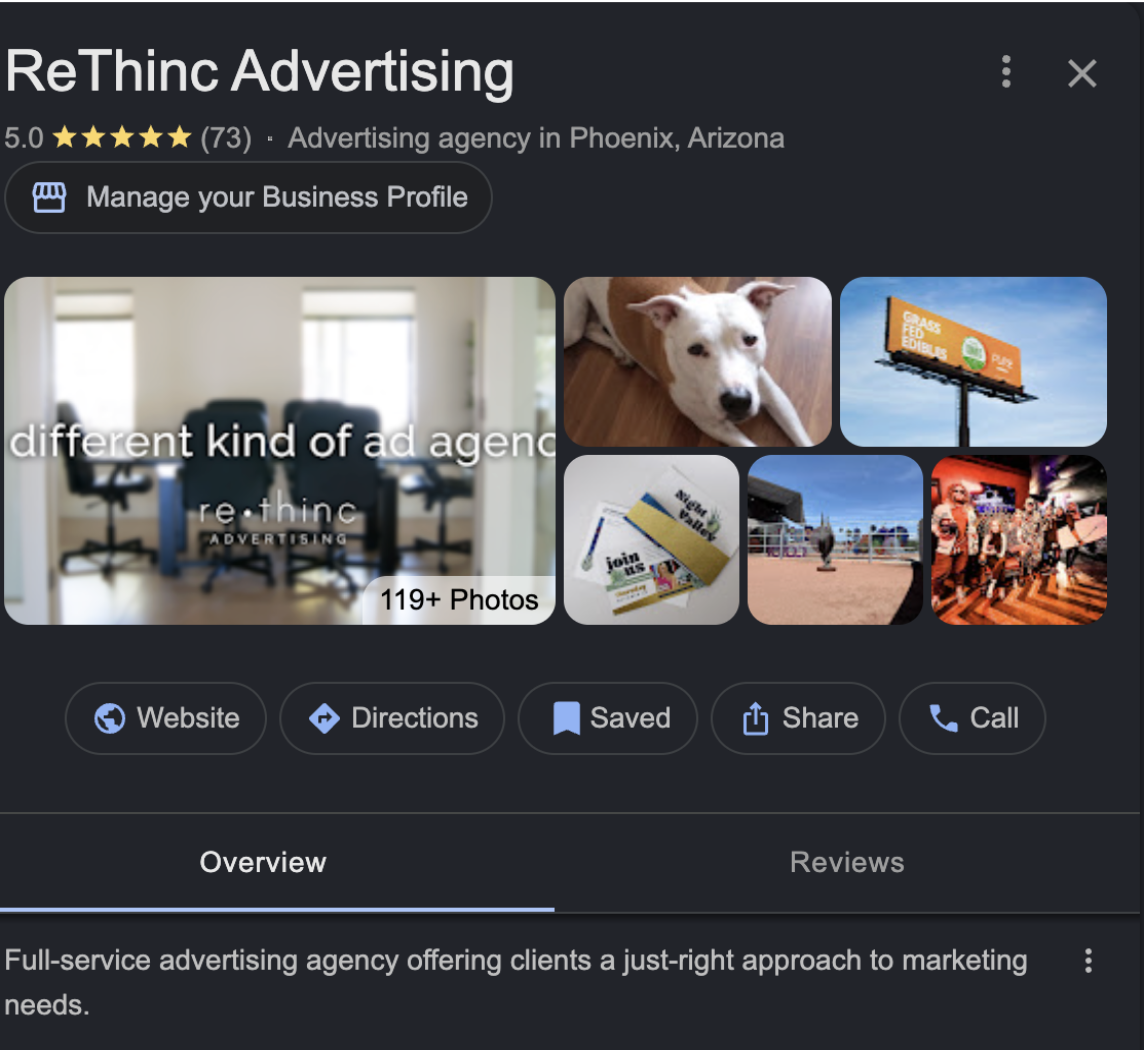
Cool, right? I also wrote a blog about this back in April of 2024. Feel free to circle back to this one for the basics. I will, however, warn you. I use the term ‘specific, yet broad,’ and I also say ‘well structured and properly optimized’ twice in back-to-back paragraphs. Be sure to do some light mental stretching before you revisit this blog.
I digress yet again, back to our current blog topic.
Who knew that this prime piece of digital real estate could be being manipulated by evil forces beyond your control? Well, Taylor knew, that’s who.
Yes, our fun-loving digital specialist recently discovered that your GBP is not safe from tampering. It’s even more intriguing to find out where that tampering is sourced from. In what can only be described as an M. Night Shyamalan plot twist, business owners are discovering that their Google Business Profile is suddenly different than how they set it up, and guess what, they traced the call, and it’s coming from inside the house.

SUGGESTED UPDATES GO LIVE WITHOUT YOUR KNOWLEDGE
It’s important to note that your Google Business Profile is not static. It’s kind of like a homeless Neapolitan mastiff that needs constant attention, food, water, and walks before the sun comes up. It’s a place where Google’s own personal algorithm pulls data from the web, trying to understand user experiences, and updates things based on what they call ‘confidence signals,’ which I didn’t develop until I was out of college.
It might be better stated to call your Google Business Profile, Google’s Google Business Profile. It’s just your responsibility to maintain it, and it’s apparently common for them to change it without asking.
It’s more disturbing to discover that changes to your GBP can be sourced externally from user-generated edits, which means anyone can make suggestions to your profile. Granted, they need to be trusted accounts, but what does that word even mean anymore? Our friends at Google aggregate information from data providers, directories (like Yelp), social profiles, and your own website.
In other words, if your profile says one thing and your users don’t see it that way, Google may make adjustments as they see fit. There are times when Google will flag a change as ‘suggested’ … other times, it just pushes the change live. This is especially true for things like holiday hours and business status (open / temporarily closed). Not to be an alarmist, but these changes can have a negative effect on your business.
GOOGLE’S SIDE OF THE STORY
“We’re not here to protect your brand … we’re here to improve search accuracy for users,” said a creepy voice from behind the Google curtain. Which makes sense. Google is in the business to dominate search , not to make sure you can create generational wealth for your children. Some good rules of thumb to follow: the most trusted data wins, the most consistent data gets distributed, and the most engaged portion of your business becomes the default.
WHAT IS THE BEST SOLUTION TO MAKING SURE MY GBP STAYS ACCURATE
I thought you’d never ask. Here are five (5) steps you can take to make sure Google doesn’t negatively impact your business by changing your GBP.
- Check your Google Business Profile every week. You can’t stop Google from making changes, but you can catch them early.
- Keep your brand consistent across your website, your social pages, and any listings (like Yelp) so that there is no question as to what you do or how you do it. In Google’s eyes, consistency = authority.
- Manage your updates. Review them, accept them, or reject them so that your updates don’t become down dates. (I don’t know why I thought that was so clever … read it again to truly appreciate it)
- Google is much less likely to override a GBP that is being actively managed.
- Monitor your reviews for accuracy. Make sure your good or bad reviews accurately depict your business.
It’s very important for you to remember that your Google Business Profile is not something you can set and forget. It competes with data sources, responds to user behavior, and changes based on Google’s priorities (not yours).
Your Google Business profile requires updating and oversight. This is best done by people who have read this blog in its entirety or marketing professionals who work at 4714 N. 44th Street. For the record, we manage all of our clients’ Google Business Profiles. If you need help with your GBP, contact me at ed.olsen@rethincadvertising.com or give me a call at 602.284.6722.
related blogs you might enjoy

What to Know Before Running Meta Ads
Meta and I have what I’d call a healthy love-hate relationship. Some days, everything works…

Meetings Aren’t the Problem. Bad Meetings Are.
Raise your hand if you’ve ever sat through a meeting that could have been an…
Google Search Is Having an AI-Dentity Crisis
I was going to count how many times I said “change” in the blogs I’ve…